


I have put a link on the main page on how to do this. A reader just asked me:

It is very confusing. It should be easier. Here is a quick link to subscribe if you haven’t already (and options to become a paid subscriber):
Upgrading your account is a little trickier.
How to change your subscription to paid:
1. Navigate to your Substack account Settings page: https://substack.com/settings
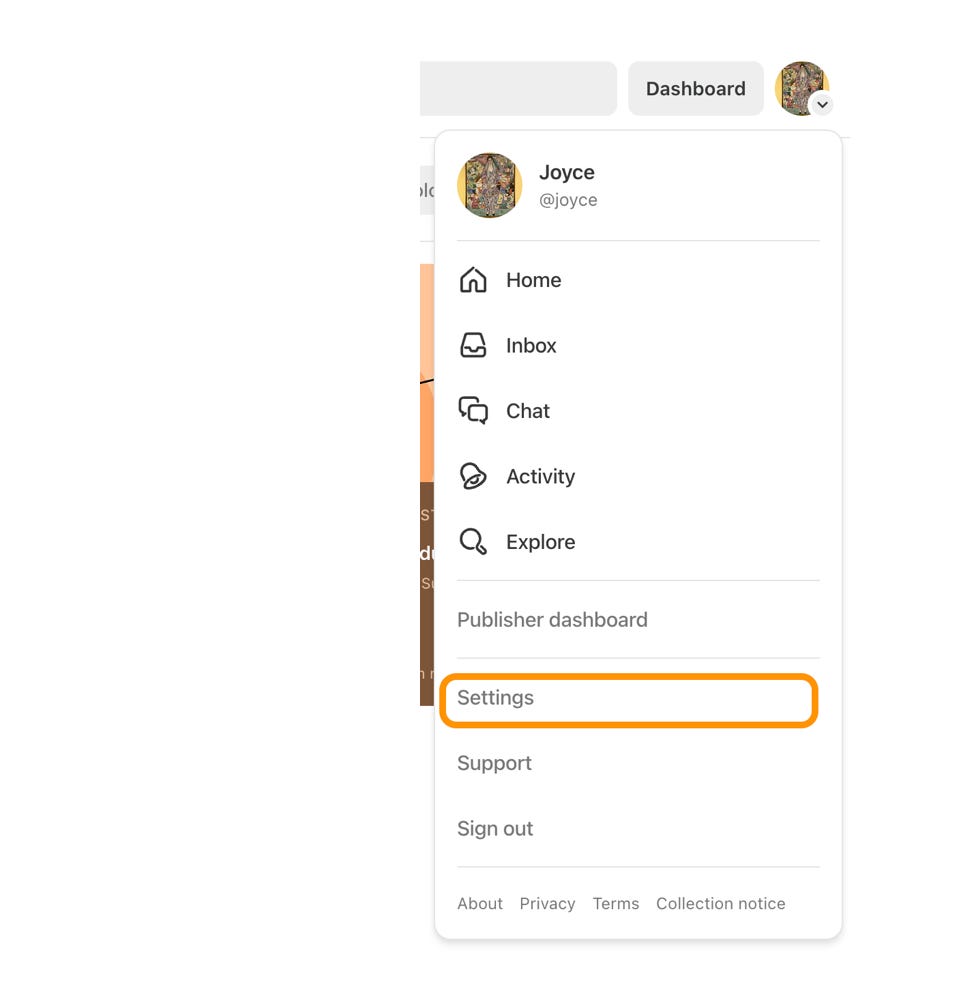
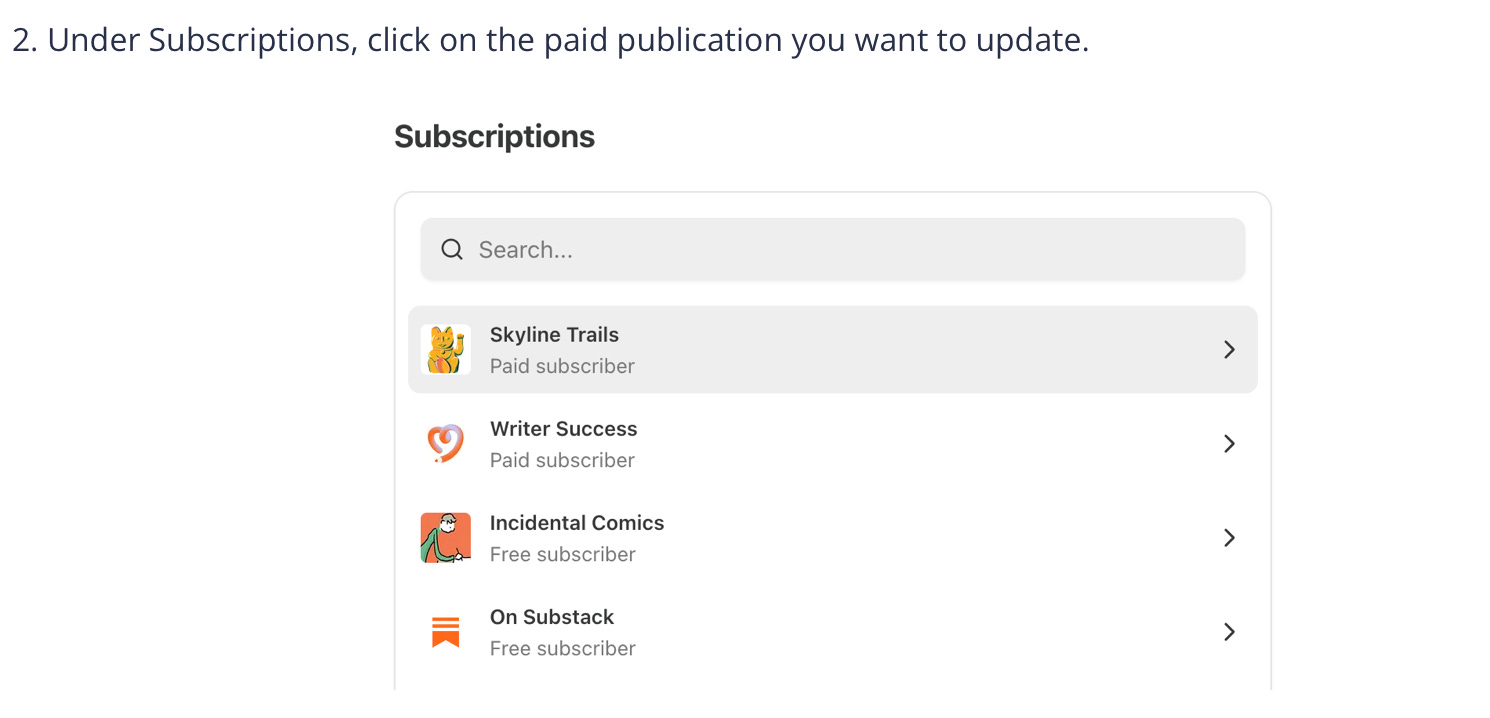
Then, change plan:
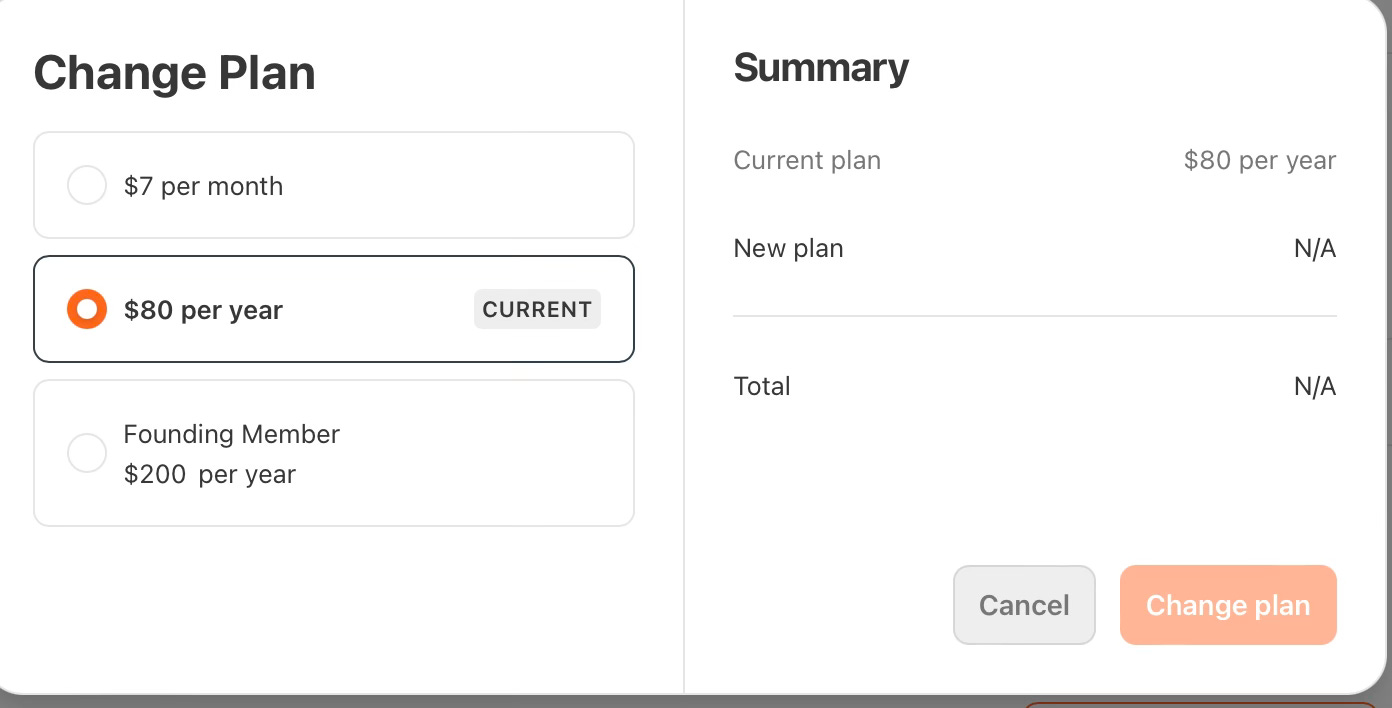
You can change your subscription however you’d like and even cancel it there if you so choose.
And if you want to simply leave a tip, you can do that here:
Thanks as always to those of you who value my work enough to pay a fee, especially now when times are so tight, and subscriptions are too many, and why buy the cow if you can get the milk for free? Much appreciated anyway.
Yea, for some reason navigating subscription settings on Substack is confusing. I finally figured it out, but it took some doing. Updating credit card info, which happens when credit cards get renewed is particularly difficult. One strategy is to just leave in the old card and wait for a notice that the renewal bounced. I think those messages have a link where you can update your card.
Hope we can figure out how to get our voter ID…