



Here is how to subscribe and unsubscribe. To become a subscriber (and here it offers the option of paying):
Tip Jar link:
How to change your subscription to paid:
1. Navigate to your Substack account Settings page: https://substack.com/settings
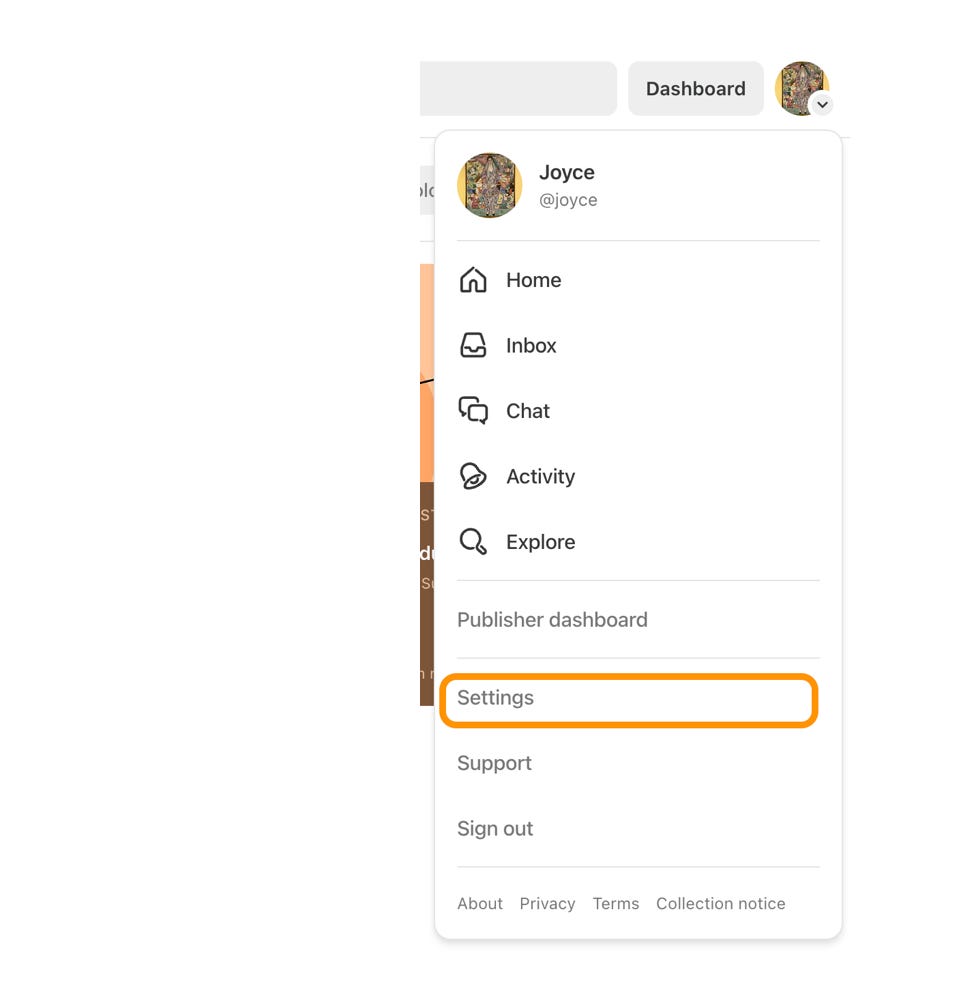
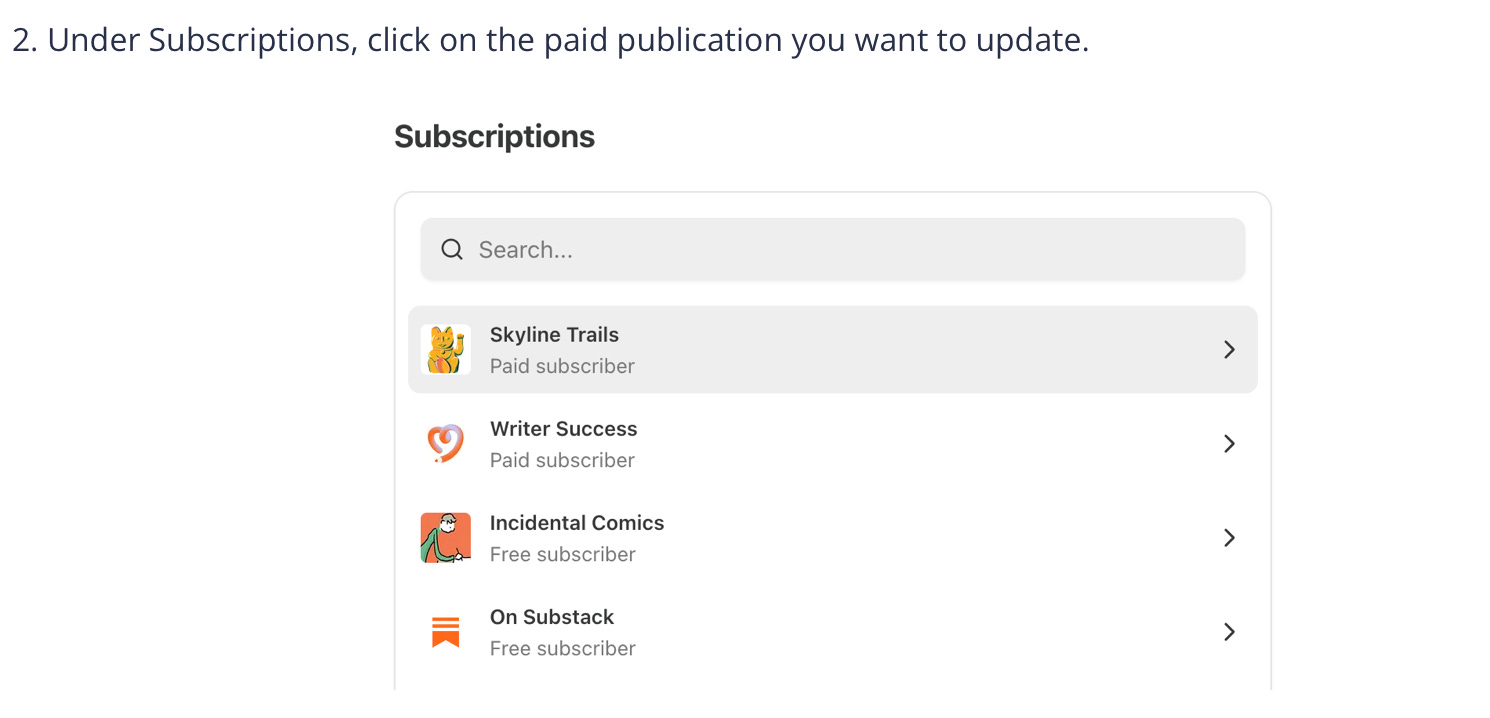
Then, change plan:
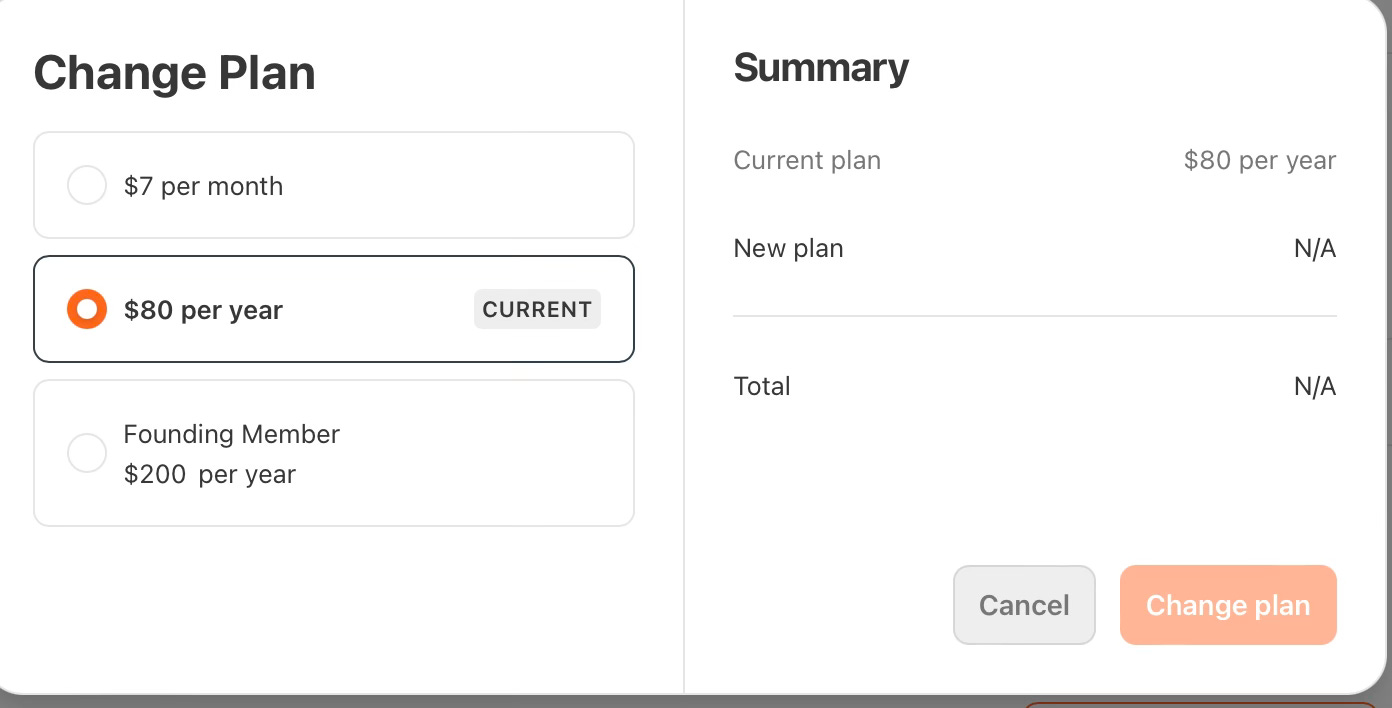
You can change your subscription however, you’d like.
Then, to unsubscribe, you must go to the top right where your profile is - it looks like a circle, like this:

Click the circle. Then click “manage subscription.”
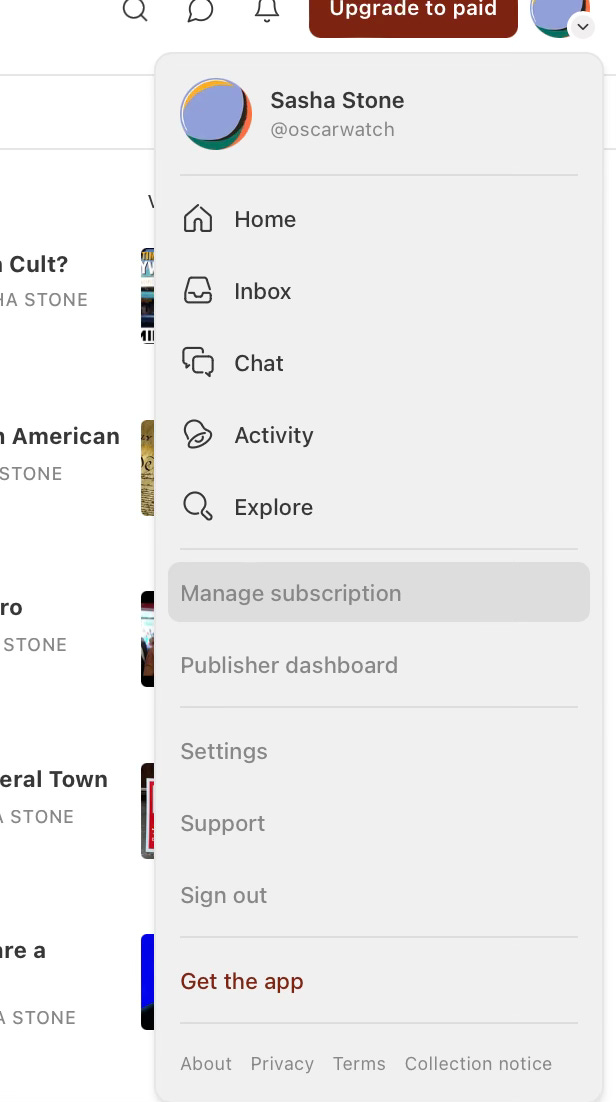
Once there, you’ll see what your subscription is. If you are paid, it will look like this:
But you can’t cancel with that option. You can change it, but you can’t cancel. To CANCEL, you have to scroll all the way down, where you will find:
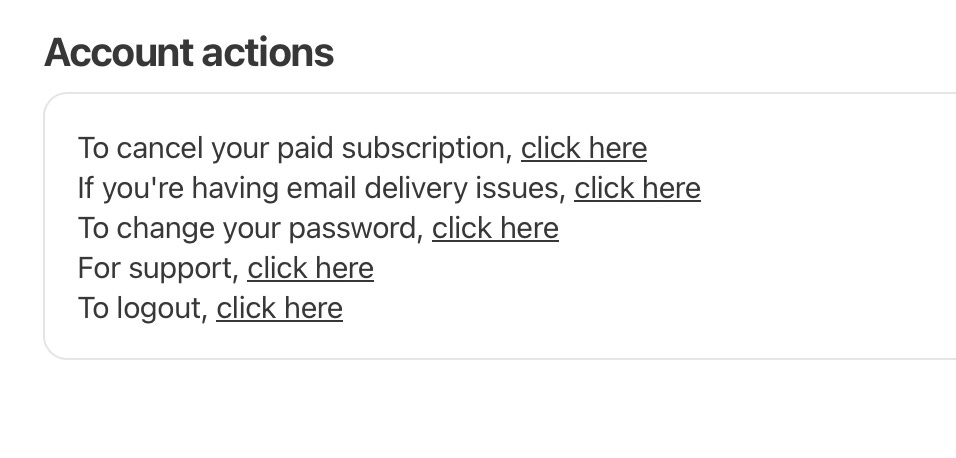
Then you click “cancel your paid subscription.”
Thanks so much!
Hahaha…. People don’t read well when they get worked up. You’re doing great work.
I’m never unsubscribing…just sayin’!